
Merge Mode (Unchecked)
Adding new records without losing existing data
Safe for incremental updates
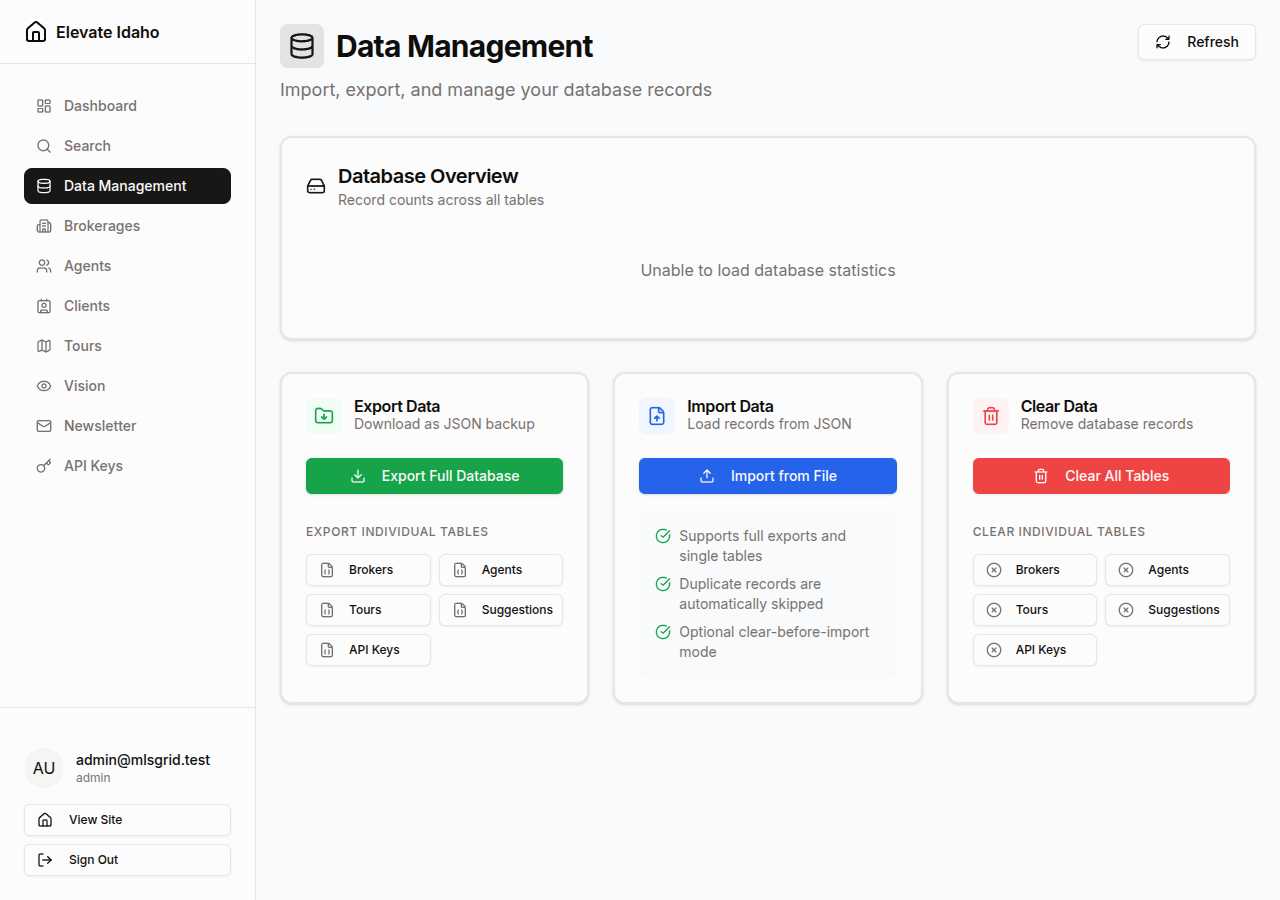
Complete reference for database tables, export formats, import options, and data management operations.
Description: Real estate broker companies
Record Count: Displayed in overview section
Schema:
| Field | Type | Description |
|---|---|---|
id | UUID | Unique broker identifier |
name | String | Company name |
email | Contact email address | |
phone | String | Contact phone number |
address | String | Office address |
license_number | String | Broker license ID |
created_at | DateTime | Record creation timestamp |
updated_at | DateTime | Last modification timestamp |
Description: Individual real estate agents
Record Count: Displayed in overview section
Schema:
| Field | Type | Description |
|---|---|---|
id | UUID | Unique agent identifier |
brokerage_id | UUID | Associated broker (foreign key) |
name | String | Agent full name |
email | Contact email address | |
phone | String | Contact phone number |
license_number | String | Agent license ID |
bio | Text | Agent bio/description |
specialties | JSON Array | Areas of expertise |
created_at | DateTime | Record creation timestamp |
updated_at | DateTime | Last modification timestamp |
Description: Scheduled property tour requests
Record Count: Displayed in overview section
Schema:
| Field | Type | Description |
|---|---|---|
id | UUID | Unique tour identifier |
property_id | String | MLS listing ID |
user_email | Requestor email | |
user_name | String | Requestor name |
user_phone | String | Requestor phone |
preferred_date | Date | Requested tour date |
preferred_time | Time | Requested tour time |
message | Text | Additional notes |
status | Enum | pending, confirmed, completed, cancelled |
created_at | DateTime | Request timestamp |
Description: User-submitted property data corrections
Record Count: Displayed in overview section
Schema:
| Field | Type | Description |
|---|---|---|
id | UUID | Unique suggestion identifier |
property_id | String | MLS listing ID |
user_email | Submitter email | |
field_name | String | Property field to correct |
current_value | String | Existing value |
suggested_value | String | Proposed correction |
reason | Text | Justification for change |
status | Enum | pending, approved, rejected |
created_at | DateTime | Submission timestamp |
reviewed_at | DateTime | Review timestamp (null if pending) |
reviewed_by | UUID | Admin who reviewed |
Description: API access keys for external integrations
Record Count: Displayed in overview section
Schema:
| Field | Type | Description |
|---|---|---|
id | UUID | Unique key identifier |
key | String | Hashed API key value |
name | String | User-provided key name |
role | Enum | admin, broker, agent |
brokerage_id | UUID | Associated brokerage (null for admin) |
created_at | DateTime | Creation timestamp |
created_by | UUID | User who created the key |
last_used_at | DateTime | Most recent authentication |
revoked_at | DateTime | Revocation timestamp (null if active) |
revoked_by | UUID | User who revoked the key |
All exports use JSON with metadata headers.
{ "export_type": "full_database", "exported_at": "2024-12-28T10:30:00Z", "version": "1.0", "tables": { "brokers": [ { "id": "550e8400-e29b-41d4-a716-446655440000", "name": "Acme Real Estate", "email": "contact@acme.example", ... } ], "agents": [...], "tours": [...], "suggestions": [...], "api_keys": [...] }}{ "export_type": "agents", "exported_at": "2024-12-28T10:30:00Z", "version": "1.0", "table_name": "agents", "record_count": 42, "data": [ { "id": "660e8400-e29b-41d4-a716-446655440001", "name": "Jane Smith", "email": "jane@example.com", ... } ]}Type: Dropdown selection
Values:
Auto-Detection: The system reads the export file metadata and pre-selects the appropriate target. You can override this if needed.
Type: Boolean checkbox
Default: false (unchecked)
Behavior:
| Setting | Behavior |
|---|---|
| Unchecked | New records are added, duplicates (matching IDs) are skipped |
| Checked | All existing records in target table(s) are deleted, then import proceeds |
Use Cases:
Merge Mode (Unchecked)
Adding new records without losing existing data
Safe for incremental updates
Replace Mode (Checked)
Complete data replacement for migrations
Dangerous - requires backup first
Definition: A duplicate is a record with an id that already exists in the database.
Behavior:
Records that violate database constraints are rejected.
Common Violations:
| Constraint | Example | Result |
|---|---|---|
| Foreign Key | Agent references non-existent brokerage | Record skipped, error logged |
| Unique Constraint | Two agents with same email | Second record skipped |
| Not Null | Agent missing required name field | Record skipped, error logged |
Handling: Import continues, problematic records are skipped and counted in “Errors Encountered”
Full Database Import: Single transaction (all-or-nothing)
Single Table Import: Single transaction per table
.json) — Primary format, requiredDrag and Drop
Drag JSON file onto the upload zone
File Browser
Click the upload zone to open file picker
Before import begins, the system validates:
If validation fails, import is rejected before any database changes occur.
Security measure to prevent accidental deletion.
| Operation | Required Text | Case Sensitive |
|---|---|---|
| Clear All Tables | DELETE | Yes (must be uppercase) |
| Clear Brokers | BROKERS | Yes (must be uppercase) |
| Clear Agents | AGENTS | Yes (must be uppercase) |
| Clear Tours | TOURS | Yes (must be uppercase) |
| Clear Suggestions | SUGGESTIONS | Yes (must be uppercase) |
| Clear API Keys | API_KEYS | Yes (must be uppercase) |
Why case-sensitive? Forces the admin to type deliberately, reducing chance of accidental confirmation.
The overview section shows real-time record counts for all tables.
Counts are retrieved directly from database:
SELECT COUNT(*) FROM brokers;SELECT COUNT(*) FROM agents;...Total Record Count: Sum of all table counts (displayed in top-right)
| Operation | Typical Duration | Records |
|---|---|---|
| Full Database | 2-5 seconds | <10,000 total |
| Single Table | <1 second | <5,000 |
| Large Export | 10-30 seconds | >50,000 total |
| Operation | Typical Duration | Records |
|---|---|---|
| Small Import | <5 seconds | <1,000 |
| Medium Import | 10-30 seconds | 1,000-10,000 |
| Large Import | 1-5 minutes | >10,000 |
Note: “Clear existing data” adds deletion time before import starts.