
Working with Listings
Listings are the core of your business. This guide covers how to work with property listings in the admin system.
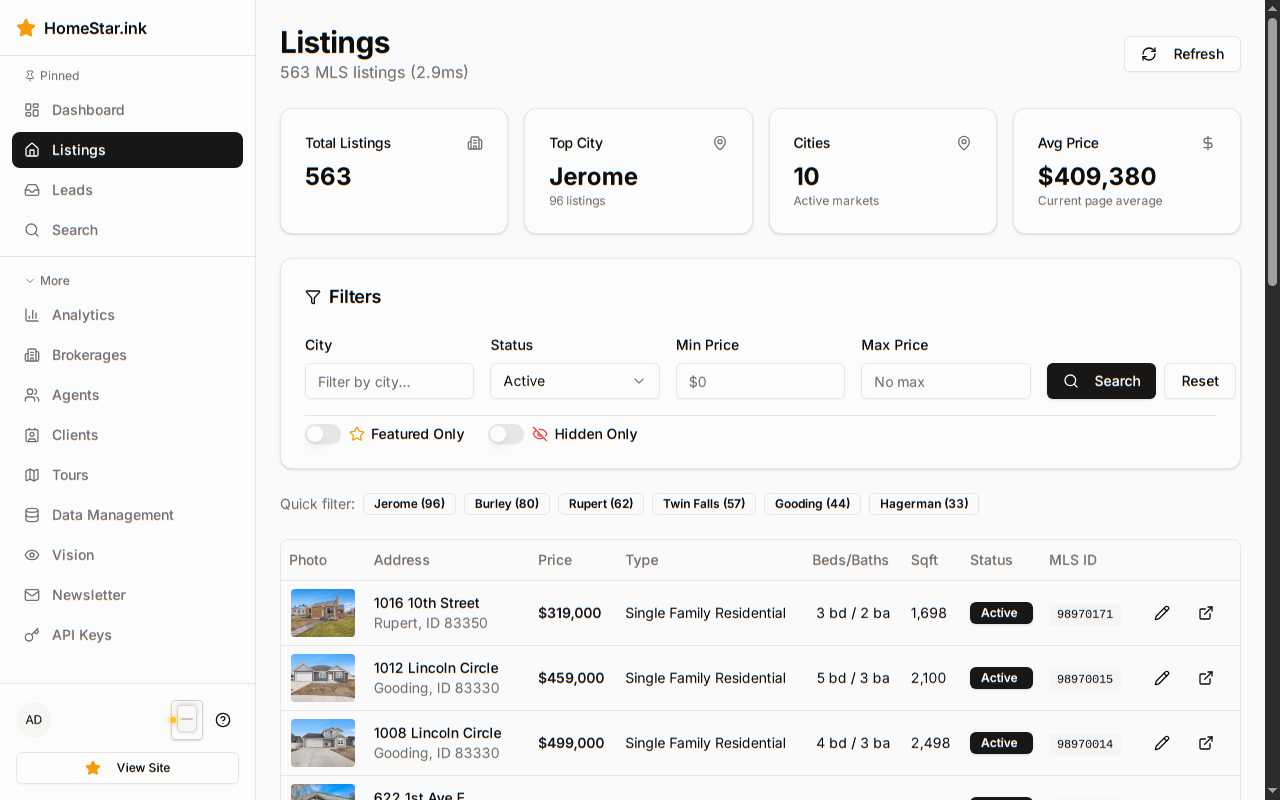
Viewing Listings
Section titled “Viewing Listings”Your listings are organized into categories:
- Active — Currently on the market
- Pending — Under contract
- Sold — Closed transactions
- Expired — No longer active
Listing Details
Section titled “Listing Details”Each listing shows:
- Property photos and virtual tours
- Price and status
- Property features and specifications
- Public remarks and private notes
- Lead activity and interest metrics
Editing Listings
Section titled “Editing Listings”While MLS data syncs automatically, you can:
- Add supplementary photos
- Update property descriptions
- Set featured status
- Add custom tags for organization
Photo Management
Section titled “Photo Management”Photos are synced from the MLS, but you can:
- Reorder photos for better presentation
- Set the primary (hero) image
- View auto-generated photo tags
- See which photos drive the most engagement
Performance Insights
Section titled “Performance Insights”Track how your listings perform:
- Views — How many people viewed the listing
- Saves — Users who favorited the property
- Inquiries — Direct contact requests
- Tour Requests — Showing appointments